Corporate Flyer Templates: Design Assets for Professional Impact
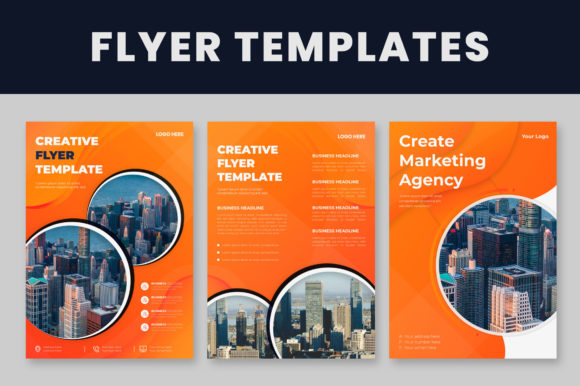
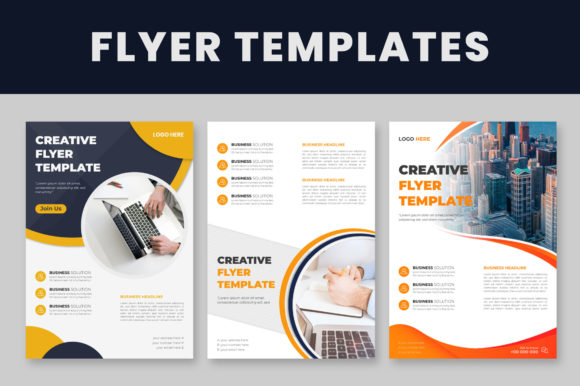
When you're building a brand or promoting a business, first impressions often happen on paper—or at least on screen in a printed format. Corporate Flyer Templates give you a structured starting point that eliminates guesswork. These aren't generic clip-art collections. They're thoughtfully designed layouts built for real marketing needs, from product launches to company profiles, event promotions to service brochures. The set includes three distinct files, each in A4 size and delivered in high-quality EPS formats compatible with Adobe Illustrator CS and later versions. That means whether you're running the latest Creative Cloud or a slightly older installation, you can open, edit, and customize without friction.
What Makes These Design Assets Stand Out
Visual hierarchy matters in any corporate communication. These templates use clean grids, balanced white space, and logical content blocks that guide the reader's eye naturally from headline to body text to call-to-action. The layouts lean toward modern typography—think structured sans serif fonts paired with subtle accent typefaces that add personality without sacrificing professionalism. There's a restraint here that works in your favor. Corporate Flyer Templates avoid trendy gimmicks and instead focus on timeless design principles: clarity, readability, and visual consistency.
The layering is well-organized, which saves you hours of frustration. Instead of digging through hundreds of unnamed layers trying to find a single text box, everything is grouped logically. Background elements, text blocks, image placeholders, and decorative accents each have their own clearly labeled sections. This kind of structure matters when you're working under a deadline or handing files off to a colleague or print shop.
Practical Customization Without the Headache
One of the most useful aspects of this set is how straightforward the editing process is. Swapping out a logo takes seconds—select the existing placeholder with the selection tool, delete it, and drop in your own. Text changes are equally simple: grab the type tool, click on any text block, and replace the placeholder copy with your own messaging. Color adjustments follow the same logic. Select any object, open the color palette, and pick your brand's exact hex code or CMYK values. No complex workarounds, no hidden settings.
The templates use free fonts, which removes one more barrier between you and a finished product. Before opening any file, install the recommended typefaces first—this prevents missing font warnings and ensures the layout renders exactly as intended. Once installed, you'll see the full typographic treatment the designer intended, including proper line spacing, kerning, and font weight choices that support readability at both headline and body text sizes.
Where Corporate Flyer Templates Work Best
These files serve a wide range of real-world applications. Small business owners can use them for service menus, product catalogs, or seasonal promotions without hiring a designer for every single piece. Marketing teams can adapt them for trade show handouts, direct mail campaigns, or internal communications that still need to look polished. Freelancers and consultants will find them useful for client proposals, capability statements, or portfolio showcases.
The A4 format is internationally recognized, making these templates practical for businesses operating across different markets. Whether you're printing digitally at a local shop or sending files to an offset printer for a larger run, the dimensions translate cleanly. The high-quality vector format means you can scale elements without pixelation—a detail that separates amateur flyers from professional ones.
Typography and Brand Identity Considerations
Choosing the right typeface pairing within a template set influences how your audience perceives your brand. A heavy display font for headlines combined with a clean sans serif for body text creates contrast that establishes visual hierarchy. This kind of intentional font pairing helps readers process information quickly—they know where to look first, what's most important, and where to find supporting details.
Consistency across your marketing materials builds recognition. When your flyers match your business cards, website headers, and social media graphics, you're reinforcing brand identity through repetition. Corporate Flyer Templates give you a foundation that's easy to replicate across multiple touchpoints. Adjust the color palette to match your existing brand guidelines, swap in your logo, and you have cohesive collateral that feels intentional rather than thrown together.
Evaluating Fit for Your Project
Before committing to any template set, test it against your actual content. Drop in your longest headline—does it still fit the allocated space without awkward wrapping? Paste your real body copy and check whether the text block accommodates it comfortably. If your brand uses a specific serif font for editorial sections or a script font for accent messaging, verify that the template's structure supports those choices without visual conflict.
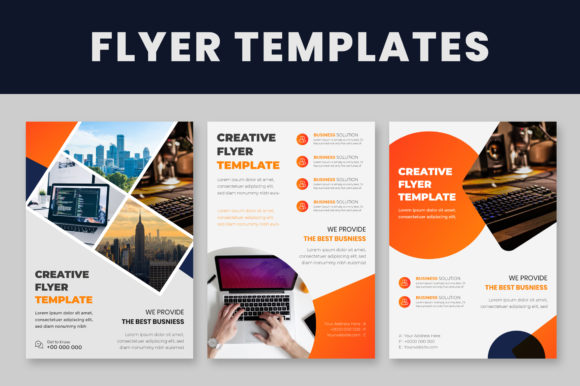
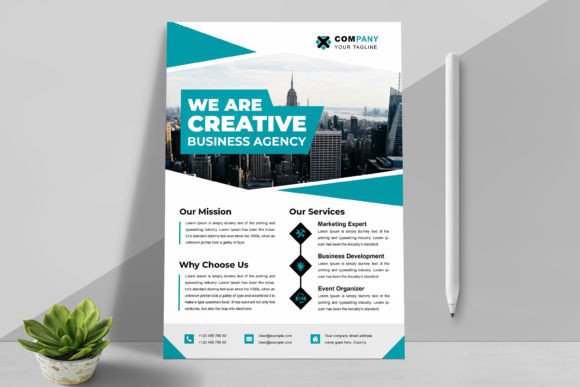
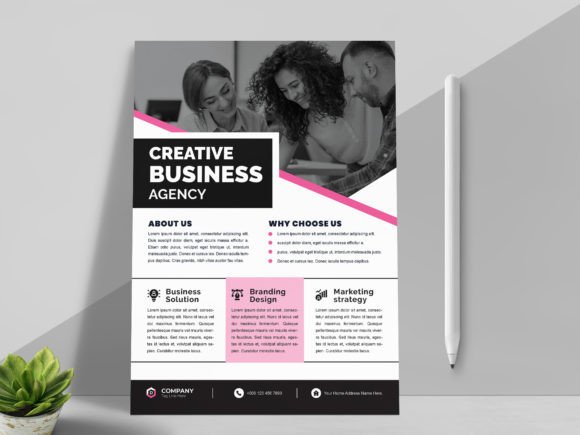
Review all three included files before starting customization. Each layout offers a different visual personality and content arrangement, so one might suit a product announcement while another works better for a corporate overview. Having three options means you can maintain variety across a campaign without straying from a unified aesthetic.
Final Thoughts on Working With Template Files
Templates aren't shortcuts—they're strategic starting points. The best results come from thoughtful customization: adjusting spacing to fit your content, choosing colors that reflect your brand's personality, and selecting typography that speaks to your audience. Corporate Flyer Templates provide the structural backbone so you can focus on messaging and branding rather than wrestling with layout fundamentals. For designers managing multiple client projects, entrepreneurs bootstrapping their marketing, or anyone who needs professional print materials without starting from scratch, this set delivers real, practical value.
Remember that images aren't included, so plan to source your own photography or use high-quality stock images that align with your brand's tone. Pair strong visuals with the clean layouts these templates provide, and you'll have print-ready materials that communicate credibility and professionalism—exactly what corporate communication demands.